AWS WAF Attack Defense & CI/CD Pipeline
Web application behind HTTPS ALB with AWS WAF blocking OWASP Top 10, rate limiting, and IP reputation rules. Simulated SQLi, XSS, floods, and scanner traffic; full Terraform + GitHub Actions CI/CD with Trivy, Checkov, and auto rollback.
Tech Stack
Architecture
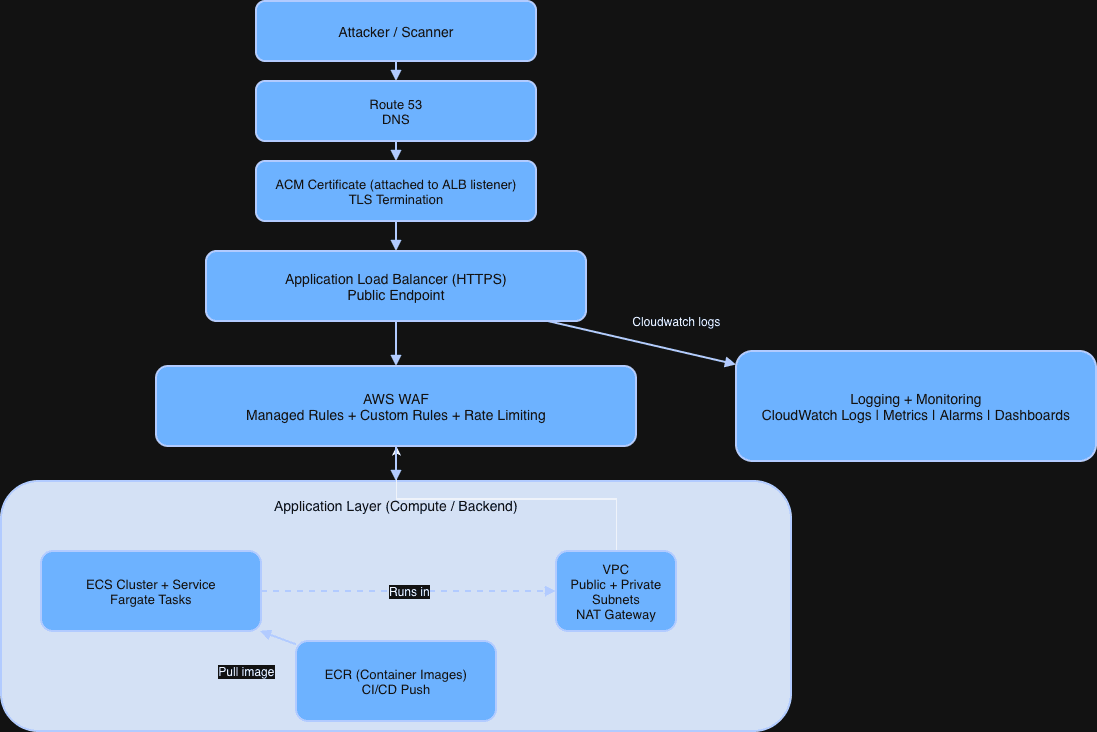
To Start off we're going to build the architecture diagram for this. The first stage Represents attackers, using sequel injection, tools, brute force, traffic floods, or DDoS attempts, and the app being scanned for vulnerabilities.
Route 53 is for DNS and routes the URL to the load balancer. So when the user types in the address, it'll point to the ALB.
The ACM certificate provides SSL so the url connects securely. It is attached to the load balancer. The load balancer manages the requests and routes them to the app.
The AWS WAF is what evaluates for attacks and will scan for SQL injections, XSS, bad IPs, traffic floods and will give a 403 forbidden if detected, so the user does not make it to the backend.
ECR is the container registry. We will set up a docker CI/CD pipeline for this as well.
Objective
- ✅ Deployed web application behind HTTPS load balancer
- ✅ WAF rules blocking OWASP Top 10 payload patterns
- ✅ Rate limiting + IP reputation style blocking
- ✅ Bot-style traffic simulation and brute force detection
- ✅ Centralized logging and security event dashboards
- ✅ Alerting when suspicious patterns exceed thresholds
- ✅ Auto rollback / redeploy via CI/CD pipeline
Simulated Attacks
- ● SQL injection payloads
- ● XSS payloads
- ● Directory traversal attempts
- ● Credential stuffing simulation
- ● Request floods (DoS-style behavior)
- ● Malicious user-agent scanning patterns
Defensive Controls
- ● WAF preconfigured rules (OWASP ruleset)
- ● Custom deny rules (regex + header inspection)
- ● Rate limiting rules
- ● Geo restrictions (optional)
- ● Block-by-ASN / IP allowlists (optional)
Measurable Results
| Attack Type | Before WAF | After WAF |
|---|---|---|
| SQLi payload | 200 OK | 403 blocked |
| XSS payload | 200 OK | 403 blocked |
| Flood traffic | Service degraded | Rate limited + stable |
| Scanner behavior | Logged but allowed | Blocked by rule |
CI/CD Pipeline
GitHub Actions automatically:
- ● Builds and tags container images
- ● Runs vulnerability scans (Trivy)
- ● Runs IaC security scans (Checkov/tfsec)
- ● Deploys infrastructure via Terraform
- ● Deploys application and validates health check
Terraform
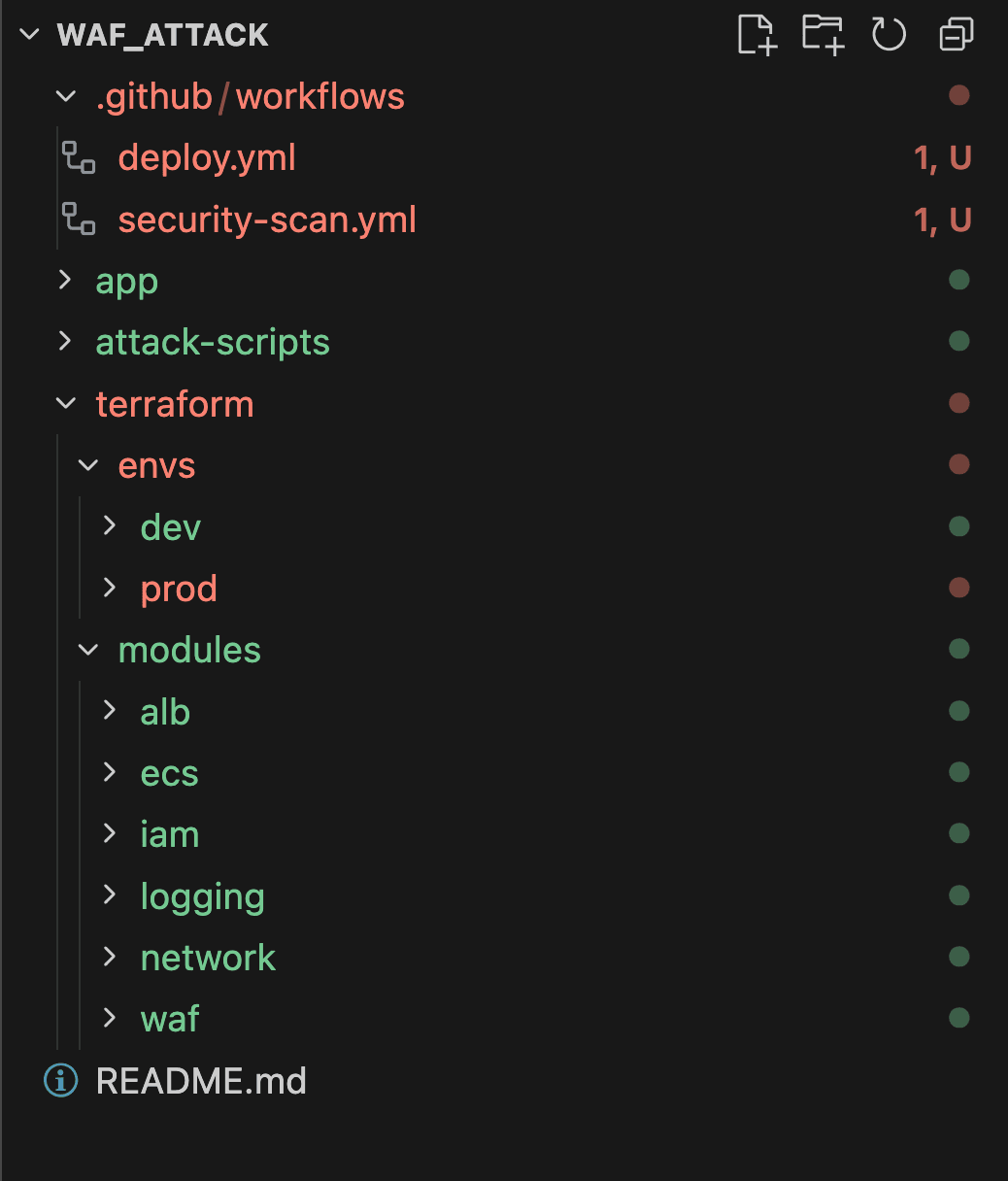
Lets create our terraform directory. First, the modules folder. This will keep our terraform infrastructure components. We are going to use
- network/
- alb/
- ecs/
- waf/
- logging/
- iam/
Terraform is great because we dont have to click through the console, and as long as we keep our state file in order, this project is reproducible with whatever parameters we put in, its declarative, so it wont stack resources when we update it. We can deploy it, then destroy it when we're done, without going through the insanity of clicking through the aws console and deleting everything.